
Instapage Pricing, Costs, & Plans (Quick Read)
The Instapage pricing is pretty straightforward (which is always a good thing)!
So it’s not going to take very long to explain everything that comes with each plan.
Let’s take some time to look at what comes with this landing page tool.
Instapage Pricing Plans 2021: Video Introduction

First and foremost.
I did an Instapage pricing video in case you’d rather obtain the information that way.
Simply click the play button right below for more info about this landing page software:
And unlike many other landing page tools out there?
Instapage only comes along with two different plans that you can use:
- The Business plan (the price changes if you pay per month or per year).
- The Enterprise plan.
So let’s take a closer look at what the first option is for this landing page software.
The Instapage Business Plan Pricing (Most Popular For Getting Started)
The Instapage Business plan is $199 per month. If you want to pay annually, then the Business plan pricing comes out to $149 per month.
This is everything you need to start building and optimizing for higher conversions.
At least, that’s what this landing pages company has to say about this plan.
Note: I happen to agree with that statement.
So answering the question:
Is there any type of discount for the best landing page builder (as many say)?
Yes, you just have to utilize their annual pricing as you can see in the picture below:

All you have to do is click on the blue slider that is shown above (the price then changes).
This is helpful if you plan on using this professional landing page builder for the long-term.
The Instapage Business Plan Features And Perks
So now that you know the price that comes along with the Business plan?
Here are the Instapage features that come along with this plan (aside from landing pages):
- AdMap.
- Heatmaps.
- Instablocks.
- Page redirects.
- SSL encryption.
- Post click score.
- Multi-step forms.
- Zapier integration.
And here are a few more beneficial perks that might help you out:
- GDPR compliance.
- Conversion analytics.
- Google single sign-on.
- Server-side A B testing.
- #1 landing page builder.
- Dynamic text replacement.
- Thor Render Engine for boosting speed.
- Integrations from Zapier, Salesforce, Marketo, Hubspot, and more.
Not too shabby right?
Note: Instapage also integrates with Google Analytics and many email marketing tools.
Gotta love marketing automation.
Are you curious about how they look compared to other landing page builders?
I’ll put a screenshot down below for you to see their landing page drag and drop editor.

In case you were wondering: their drag and drop editor is pretty easy to use.
Here are the big perks that come along with the Instapage Business plan:
- 30 published landing pages.
- 5 workspaces, as well as 5 team members.
- 30,000 unique visitors per month (a decent amount of traffic).
Their page builder is actually pretty smooth when it comes to creating your landing pages.
Now let’s move on to the second and final Instapage plan.
As I said, their plans are overall pretty simple.
If you want more visitors and published landing pages?
Then this next landing pages plan just might have your name written all over it.
It’s called the Enterprise plan, and it’s the ultimate custom landing pages plan.
The Instapage Enterprise Plan (Customizable Pricing)
You will need to speak with support in order to get the Instapage Enterprise plan pricing as it changes based upon the customizations that you want.
Once again, according to Instapage, here is what this plan comes along with.
The advanced new features and advanced services that are helpful when it comes to:
- Scale your advertising operations (and)…
- Maximize your return on investment.
There’s certainly a LOT going on in this plan.
So when it comes to the price?
- Instapage Enterprise plan you will have to speak with sales.
The reason for this is that it’s mostly a customized pricing package.
Nevertheless.
They come with quite a lot of helpful perks for landing pages and marketing.
The Instapage Enterprise Plan Features and Perks (There Are Many)
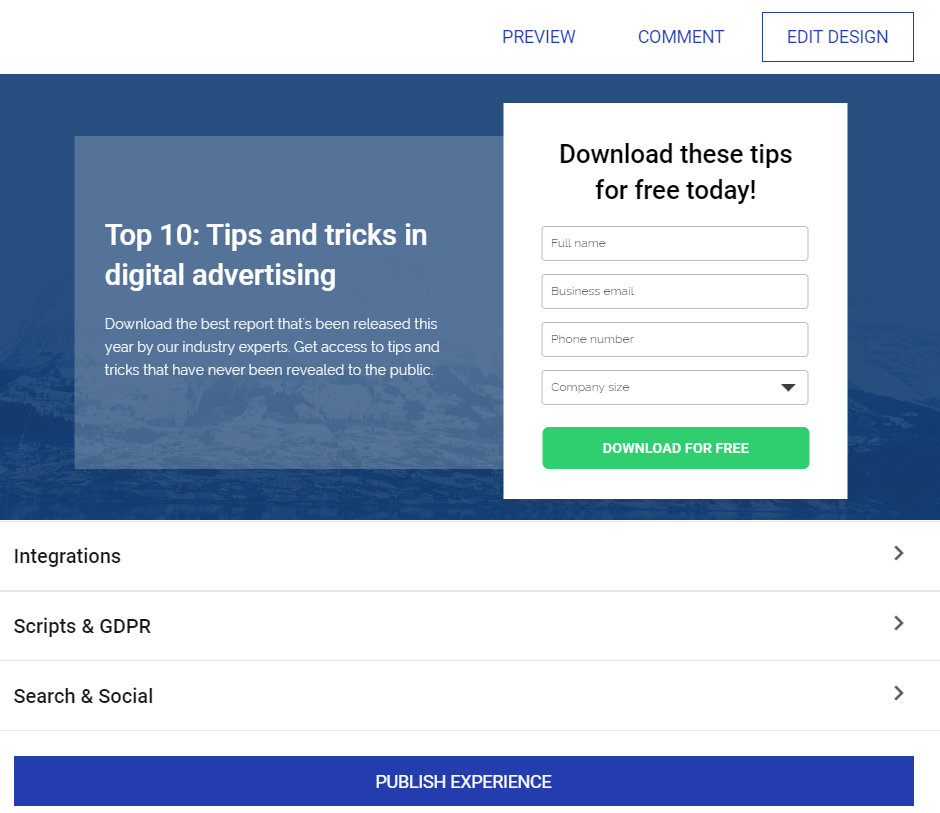
First, you get every feature that comes along with the Business Plan:
- AdMap.
- Instablocks.
- Page redirects.
- SSL encryption.
- Post click score.
- Multi-step forms.
- Zapier integration.
- And don’t forget about heatmaps as well.
Heatmaps are a great way to provide insights on how visitors interact with your pages.
Here are yet a few more features that might help you out:
- GDPR compliance.
- Conversion analytics.
- Google single sign-on.
- #1 landing page builder.
- Dynamic text replacement.
- Thor Render Engine for boosting speed.
- Server-side A B testing (to increase your conversion rate).
- Integrations from Zapier, Salesforce, Marketo, Hubspot, and more.
Yup, you still get Google Analytics with this Enterprise plan.
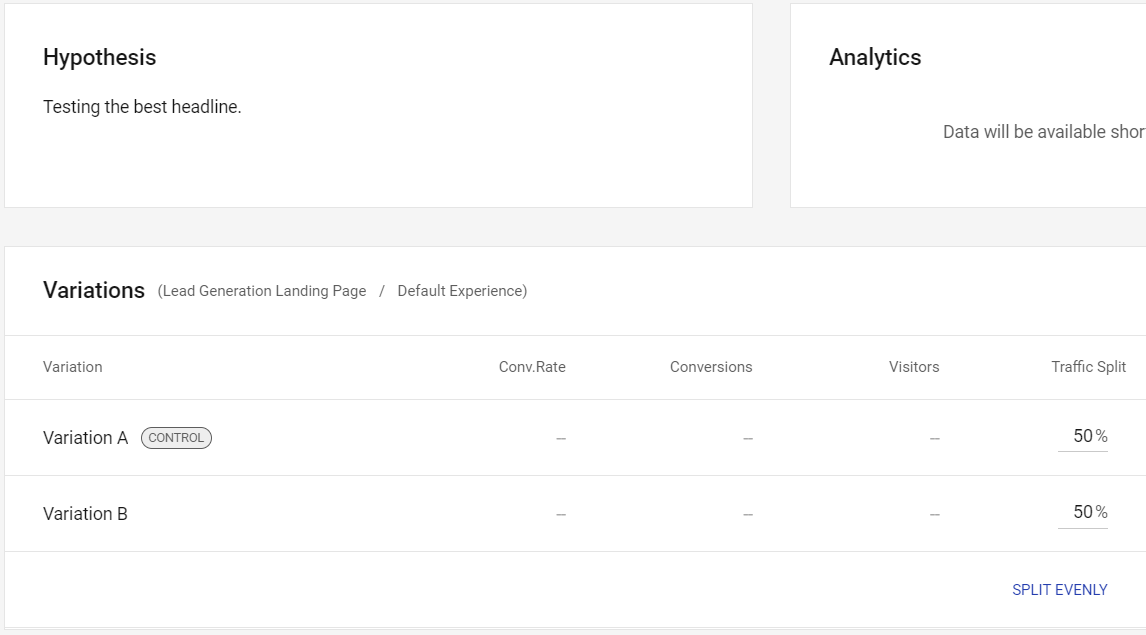
I also must say that their A B testing is very to use with your landing pages.
Down below is the split test feature that’s helpful for increasing your conversion rate:
And then you get even more features that are ONLY apart of this Enterprise package:
- Audit logs.
- Direct lead-bypass.
- Page migration services.
- Enterprise single sign-on.
- Dedicated launch specialist.
- Customer success manager.
- AMP Pages and experiences.
- Real-time visual collaboration.
- 1:1 ad-to-page personalization.
- Custom feature implementation.
- Ad-spend conversion attribution.
- Guaranteed uptime-enterprise SLA.
- Editable global blocks (global blocks allow for quicker creation).
Note: Migration services (and the bullet points above) are JUST for the Enterprise plan.
Migration services are also helpful if you’re coming from a previous landing page software.
The customer success manager is also helpful if you want help to get up and running.
Nevertheless.
There’s quite a lot of features that come with this plan (it’s very customizable).
I recommend that you check out everything that they offer on their official site.
There’s a really good page called: Enterprise Benefits.
That will give you more than you need to know when it comes to the Enterprise option.
Anyway.
Those are the two choices that you have when it comes to using this tool.
Here is another important aspect when it comes to signing up.
Instapage Free Trial (For 14 Full Days)

Instapage does currently come with the ability to test out their landing pages for free.
This will allow you to make the most of what they offer during a 2-week period.
As you can see in the image above, you will have to give:
- Your name.
- Your email address and password.
- As well as the reason you’ll be using Instapage.
Doing all of this allows you to create a new user.
You’ll need some more information, which you’ll probably have questions about.
Allow me to answer those quickly so that you can start seeing what Instapage offers.
What Is Included With The Instapage Free Trial?
Here are two bullet points to help you with the answer:
- You will have access to all of the features in the Business plan.
- You also get 2,500 visitors during your trial period.
That means that you can test out Instapage and put together a few landing pages.
Here is an example of a few templates in the screenshot down below:

The templates add to the overall ease of use when it comes to creating landing pages.
Next up when it comes to getting started and creating landing pages.
What Is Considered A Unique Visitor?
A unique visitor is simply any one person who visits your landing page.
They can return as many times as they like but it will only be counted as one visit.
Note: The Business plan comes with 30,00 unique visitors monthly.
If you happen to go over 2,500 unique visitors during your trial period?
Then you will simply be upgraded to a paid subscription.
Will You Need A Credit Card For The Free Trial?
You will need a credit card when it comes to getting started with your trial.
A credit card is needed, along with the essentials such as your name and email address.
Here are a few reasons why you need a credit card (at least in my opinion):
- It weeds out people who might not create landing pages and use their software.
- It makes the process easier for getting started once the fourteen days run out.
- Also, in case you go over your unique visitors during your trial period.
This is something that many landing page software tools do, so it’s business as usual.
The last thing you want to do is lose your hard work because you never entered a credit card.
So we spent a good amount of time talking about the pricing and features.
Let’s finish up this post now.
Instapage Pricing Summary

Here is one final quick rundown of how much Instapage costs:
- Instapage Business plan is $199 per month (or).
- Instapage Business plan comes out to $149 per month if you pay annually.
- Instapage Enterprise plan you will have to speak with sales for details.
If you want to get the best price and save money then you can simply pay annually.
It’s always a good option to pick especially if you plan on using Instapage for the long run.
Anyway, I hope that this post helped you out when it comes to this landing page pricing.
Like I said previously?
The prices that come along with Instapage is pretty straightforward (at least for Business plan).
If you like what you see then I recommend that you give them a try yourself.
I’m sure that you’ll find that it’s pretty simple when it comes to creating landing pages.
Thank you for taking the time out of your day to stop by and read this post.
I understand that there’s always plenty of Instapage reviews you can go to for landing pages info.
So I really appreciate that you chose this website specifically.
Here are some more frequently asked questions to help you out and officially finish this post.
Can You Cancel Instapage Any Time That You Like?
Absolutely.
That’s the purpose of a free trial as you can always cancel if it’s not for you.
Here are the steps (in case it’s needed):
- Click on the Admin text.
- Click on the Subscription text.
- Lastly, click on the CANCEL ACCOUNT text.
You always have the ability to cancel your account any time (if needed).
Does Instapage Offer Any Type Of Money Back Guarantee?
According to their terms page, here are the cliff notes:
If you terminate within 24 hours of your order, you will be eligible for a refund.
You can always contact them through customer support or social media if you need more help.
It’s pretty straightforward.
Create a landing page or two and see just how much you like this software.
And that finally concludes this Instapage pricing and price guide.
Thanks again for taking the time to read about the Instapage pricing topic.
Related Instapage Posts
I’ll put a couple of related posts that I’ve done on this website in case you need more info.
If you want to see one of the best reviews for this software?
Then make sure that you check out the first link right down below:
- Related: Instapage review.
- Related: Instapage vs another landing page builder.
Happy landing page building and marketing!
About the Author James Canzanella
A former personal trainer who went from unemployment to online business success. He's been marketing since 2012 and (still) enjoys lifting weights, listening to rock music, and relentlessly quoting movie lines.
